Vimeo Downloader Extension for Chrome
One click to save a Vimeo video as MP4 with its audio, at every resolution Vimeo offers (1080p by default, up to 4K when available). Works on public, unlisted and domain-restricted embeds, including course platforms. Everything runs in your browser: no third-party server, no watermark, no signup.
Vimeo video detected
my-vimeo-upload.mp4
1080p · DASH · 84.2 MB
Vidora detects the Vimeo player, reads its configuration, and lists the video in its popup with a one-click Download button.
What works, and what does not
Vimeo has five privacy settings, and no extension can handle all of them. What decides the outcome is the mechanism behind the restriction, not how private the video feels. Check your case before installing anything.
| Your video is | What Vimeo checks | Vidora |
|---|---|---|
| Public | Nothing | Downloads |
| Unlisted (link only) | Nothing, it is only hidden from search | Downloads |
| Domain-restricted embed | The Referer header |
Downloads from the authorized page |
| Password-protected | A session cookie | No |
| Private to specific accounts | Your Vimeo account identity | No |
The dividing line is whether the check sits on a header or on a cookie. A header travels with any request coming from the right page, so Vidora satisfies it. Cookies do not: Vidora resolves Vimeo without sending any, a deliberate choice because Chrome rejects credentialed responses from the CDN hosts involved. On those two settings the extension finds nothing at all, rather than producing a broken file.
This is also why lessons hosted on Thinkific, Kajabi or Teachable behave differently from a genuinely private upload: course platforms use domain restriction, not account privacy. Stay on the lesson page, do not open the video on vimeo.com in another tab, and it resolves. The full breakdown is in the guide to private Vimeo videos and what works for each restriction type.
If your video falls in the bottom two rows and you have a legitimate need for a copy, the reliable route is to ask the owner to switch on downloads. It takes them one setting, and a download button simply appears for you.
What you actually get
The single most common complaint about Vimeo downloaders is a file that plays with no sound. Here is why that happens, and exactly what lands on your disk.
MP4 with the audio muxed in
Vimeo often delivers video and audio as two separate DASH streams. They have to be recombined into one container, and tools that skip that step hand you a silent file. Vidora fetches both tracks, picks the highest-bitrate AAC audio, and muxes them before saving.
Every resolution Vimeo offers
Every distinct resolution the video offers is listed, from 360p up to 1440p and 4K when Vimeo provides them, with 1080p preselected when available. Nothing is re-encoded, so the file keeps the source quality rather than being degraded by a conversion step.
No subtitles on Vimeo
Vidora reads subtitle tracks that a page publishes as standard HTML elements, and a Vimeo player iframe publishes none. So no subtitle file comes with a Vimeo download. On sites that do publish them, a Subs button appears next to Download.
One more thing worth knowing, because it is the second most common complaint: a download that stops at 90 percent and saves anyway. Vidora compares what it received against what the server announced, and refuses to write a file it knows is incomplete. For a direct MP4 file it switches engine and retries; for a DASH playlist, a failed segment fails the whole download and you are told why. You get either a whole video or an explicit failure, never a truncated MP4 that looks fine until you scrub to the end.
Why an extension
Why a Chrome extension beats online Vimeo downloaders
Online Vimeo downloader sites take 30 seconds to do what an extension does in 2. They also fail on the exact videos you most want to save.
No upload, no re-download
An online tool downloads the video to its server, then sends it to you. That is the same file traveling the internet twice. The extension saves directly from Vimeo's CDN to your disk, one trip.
Course platform embeds work
Course platforms serve Vimeo through domain-restricted embeds, which Vimeo checks with the Referer header. A paste-a-link site sends no such header and fails; an extension working on the lesson page sends it and resolves the video.
Faster, every time
Direct CDN to disk runs at full broadband speed. Online sites add backend processing latency, queue waits, and bandwidth caps. A 500 MB Vimeo download finishes in seconds on the extension, minutes on a web tool.
Private URLs stay private
When you paste a Vimeo URL into an online tool, you hand its servers your signed playback URLs and session headers. The extension processes everything locally in a Manifest V3 offscreen document, no Vidora backend involved.
Comparison
Vidora vs other Vimeo Chrome extensions
Vidora's column reflects what its own code does, verified line by line. Where a row says "not tested", we have not run that case against that competitor ourselves and will not guess: an untested claim in our favour is worth less than an honest gap.
| Feature | Vidora | Video DownloadHelper | Easy Vimeo Downloader | Stream Recorder |
|---|---|---|---|---|
| Free for personal use | Yes, fully free during launch | Free, HLS/DASH quota (lifetime Premium lifts it) | Yes (with ads) | Yes (free) |
| HLS and DASH stream support | Yes | Yes (free-tier quota) | No | HLS yes (no re-encoding); DASH not documented |
| Domain-restricted embeds (course platforms) | Yes | Not tested | Not tested | Not tested |
| Password-protected or account-private | No, and it says so | Not tested | Public only | Not tested |
| Audio muxed into the MP4 | Always | Not tested | Not tested | Not tested |
| MP4 at source quality (no watermark) | Every resolution offered, 1080p default | Not tested | 720p max | No re-encoding (per vendor) |
| Setup steps | 1 (install) | 1 (install) | 1 (install) | 1 (install) |
For a deeper review with 7 tools (extensions + desktop + online) compared on real streams, read our Best Vimeo Video Downloader 2026 buyer's guide.
How to install
Three clicks, one Vimeo MP4
Install Vidora
Add Vidora from the Chrome Web Store. Works on Chrome, Edge, Brave, Opera, Vivaldi, and Arc. Takes 10 seconds, no account, no email.
Open the Vimeo video
Go to the page holding the video: a public or unlisted Vimeo page, or a course lesson with a domain-restricted embed. Vidora spots the player as the page loads; no need to press play.
Click download
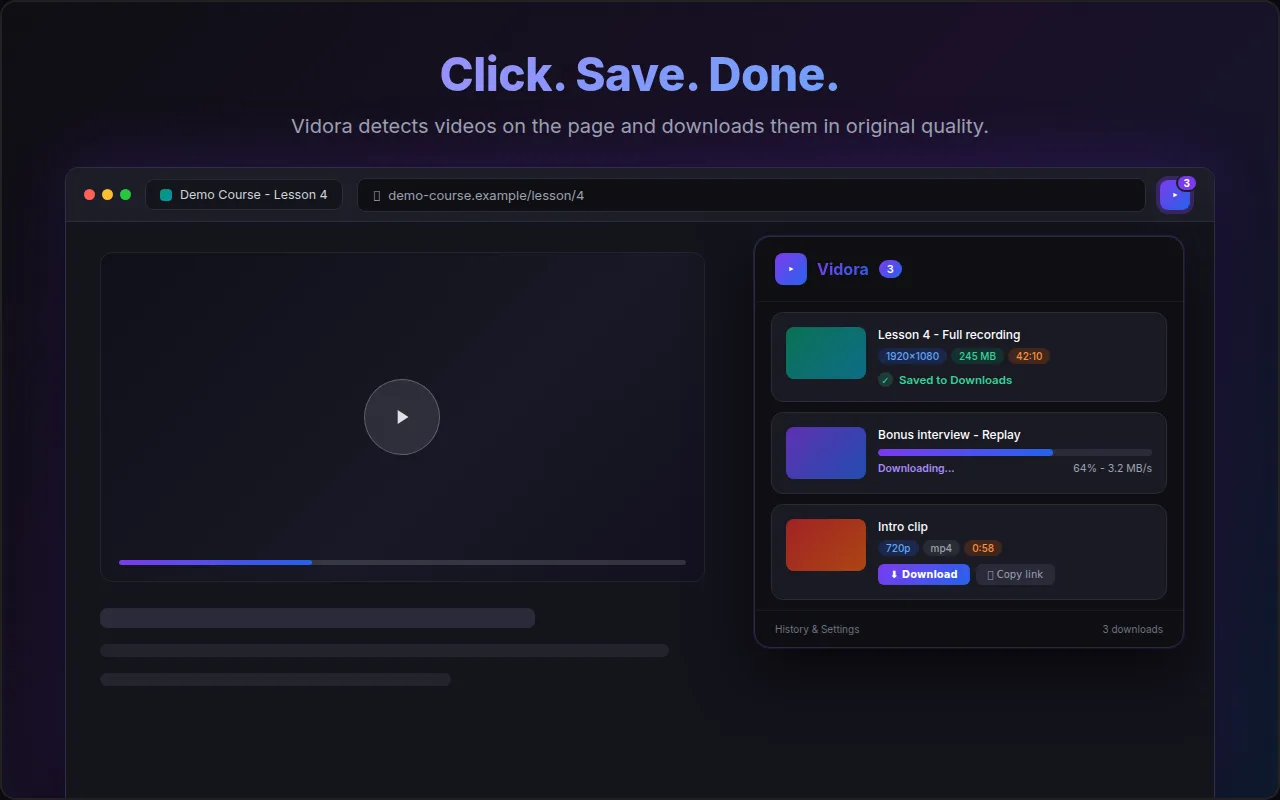
Vidora resolves the Vimeo DASH playlist (or direct MP4 file) automatically. Open the popup, pick a quality, save as MP4. Done in seconds, no command line.
When nothing is detected
Four causes account for nearly every case, and two of them take ten seconds to fix. Work through them in this order.
The player was injected after the page loaded
The most frequent fixable cause. Vidora scans the page for the Vimeo player when it loads and watches for changes afterwards, but some lesson pages build the player late, or the host blocks the player configuration request. Reload the tab, wait for the player to appear, then reopen the popup. Pressing play is never required.
You opened the video on vimeo.com instead of the page it is embedded in
For a domain-restricted video, the authorization comes from being on the authorized site. Open it on vimeo.com directly and the request no longer comes from an allowed origin, so Vimeo refuses it. Go back to the course or company page.
The video is password-protected or account-private
Then nothing will appear, by design rather than by accident. Those two settings are enforced with a session cookie that the extension deliberately does not send. Ask the owner to enable downloads instead of trying another extension: the next one hits the same wall.
The stream is DRM-protected
Vimeo OTT titles and some enterprise libraries ship with Widevine DRM. Vidora detects it and stops. This is not a limitation we intend to remove: breaking DRM is illegal in most jurisdictions, and any tool claiming otherwise is either lying or exposing you.
Why Vimeo extensions keep breaking
If you have already installed two or three extensions that each worked for a while then stopped, you are not unlucky. Three structural shifts broke most of them, and switching to yet another one does not address any of them.
- Chrome Manifest V3 removed blocking webRequest. Extensions used to sit in front of network traffic and inspect it freely. That capability is gone for good, so any tool built on it had to be rewritten from scratch or die. Vidora is Manifest V3 native and does its work in an offscreen document.
- Vimeo changes its player configuration. Anything that parses that response breaks the day its shape changes. There is no way around it other than maintaining the parser, which is unglamorous and never finished.
- Delivery moved to segmented streams. A Vimeo video is rarely one file any more. It is a manifest plus hundreds of segments, often with video and audio kept apart. A downloader that has not implemented muxing produces a silent file and calls it a success.
The honest conclusion: no extension is permanently safe, ours included. What differs is whether it fails loudly or silently. We would rather show you an error than write a broken MP4 to your disk.
Save every Vimeo video in one click
Free during launch, every feature unlocked: unlimited downloads, quality picker, no watermark. No account, no card, no subscription.